
LoadRunner uses WinDiff to compare recorded scripts while manually correlating.
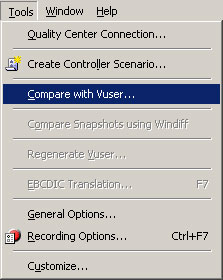
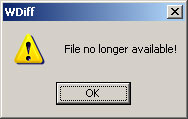
I always wondered why WinDiff would throw an error when I invoked it from LoadRunner. It turns out that this only happens if your script directory contains spaces (like the default LoadRunner script directory does). WinDiff is showing its age and is not too good with long filenames or filenames containing special characters.
Related Posts



3 Comments
Comments are closed.
I also came across this problem ,no solution as of now with me but a very best alternative i found.Use Winmerge its a gud comparsion tool low weight on processor and open source so its free.
I come into this error too.After the files I wanted to compare are copied to a short directory,windiff started to work.
I generated my script in HTTP/HTML protocol and correlate it mannually. I runs OK but it doesn’t make any update in In the DB. just run. What should i do